
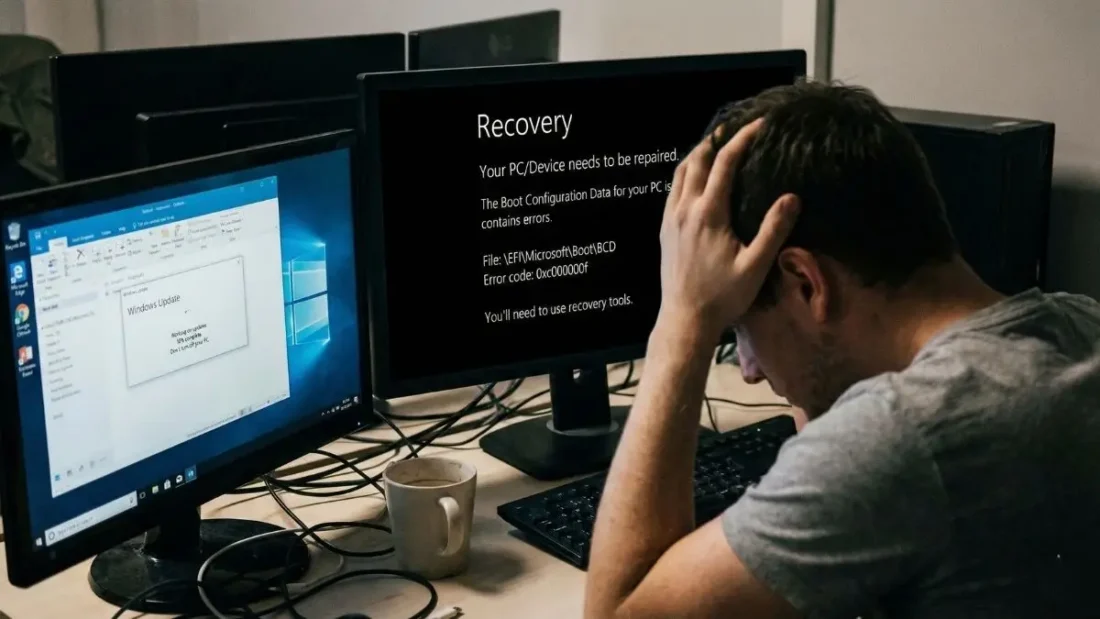
That pop-up saying “Update and Restart” might feel more annoying than usual these days if you’re using Windows 11. A lot of people are seeing it now, not with relief but eye rolls. Early fixes rolled out by Microsoft this year didn’t go smoothly – quite the opposite. Glitches started piling up after their standard January update dropped. Some machines even stopped working right afterward. Because things got so messy, the company had little choice but to push another fix fast – one they usually save for rare situations. This one came outside the normal schedule, just days later.
What was supposed to be a routine security sweep has morphed into a crisis management exercise for the Windows team. From systems that refuse to boot to essential apps like Outlook simply giving up, the January 2026 update (specifically KB5074109) has been causing serious havoc across the globe.
The “Patch Tuesday” Nightmare
That Tuesday morning, January 13, 2026, marked the beginning. A routine Microsoft update rolled out, aiming to close more than a hundred security holes. Though it handled threats properly – shutting down active exploits, refining NPU controls – something went off track behind the scenes. Instead of running smoothly, parts of Windows began reacting unpredictably.
Shortly after the rollout, reports began flooding Reddit and Microsoft’s support forums. Users on the latest versions of Windows 11 (24H2 and 25H2) were hitting a wall. The most terrifying issue? The dreaded UNMOUNTABLE_BOOT_VOLUME error. Imagine waking up, turning on your workstation, and being greeted by a black screen and a stop code that essentially says your PC has forgotten how to start itself. For many physical PC users, this wasn’t just a glitch; it was a total lockout.
Two Emergency Patches in Seven Days
Out of nowhere, Microsoft broke its usual pattern because the flaws were too serious to wait. January 17 brought an emergency patch, labeled KB5077744, targeting major issues in Remote Desktop and Azure Virtual Desktop. Since the earlier fix wiped out login prompts entirely, businesses found themselves stuck – remote access stopped working altogether. Suddenly, everything shifted when that update arrived, restoring what had been lost.
However, that first fix didn’t cover everyone. While the IT admins were breathing a sigh of relief, consumer users were still dealing with a bizarre bug where Microsoft Outlook Classic would simply freeze or vanish into the background.
Out comes another fix – KB5078127. Dropped on January 24, this round-up update tries to slow down what’s gone wrong lately. Inside? All the protections added back on the 13th, tweaks meant for remote desktop issues introduced on the 17th, then fresh adjustments aimed at calming those sudden program shutdowns hitting regular users hard.
What Exactly Went Wrong?
The list of “havoc” caused by this update cycle is surprisingly long for a modern OS:
-
The Outlook/Cloud Storage Conflict: This is perhaps the most frustrating one for office workers. If you use Outlook Classic and store your PST (data) files on cloud-backed storage like OneDrive or Dropbox, the January update caused the app to become completely unresponsive. Sometimes, Outlook would look like it closed, but the process would stay stuck in the background, preventing you from ever reopening it without a trip to the Task Manager.
-
The Boot Loop Crisis: As mentioned, the UNMOUNTABLE_BOOT_VOLUME error hit a “limited number” of physical devices. Microsoft is still investigating the exact hardware configurations causing this, but it’s serious enough that they’ve advised users to keep their recovery media handy.
-
Shutdown and Hibernate Failures: In a weird twist, some users on Windows 11 version 23H2 (mostly enterprise) found that clicking “Shut Down” would actually cause the computer to just… reboot. It’s like the PC was refusing to go to sleep.
-
UI Glitches: Reports of black desktop backgrounds and “flashing” taskbars have also been linked to this update cycle, particularly on systems using AMD or NVIDIA graphics cards.
How to Get the Fix
If your PC is currently acting like it’s possessed, you don’t have to wait for the next Patch Tuesday in February. Microsoft has made KB5078127 available through the standard Windows Update channel.
To grab it, head to Settings > Windows Update and click Check for updates. You should see the out-of-band update listed there. If it doesn’t show up, or if your machine is one of the unlucky ones stuck in a boot loop, you may need to visit the Microsoft Update Catalog and download the standalone installer from a working device.
For those stuck at the “UNMOUNTABLE_BOOT_VOLUME” screen, the only current workaround is entering the Windows Recovery Environment (WinRE) and manually uninstalling the quality update from the Advanced Options menu.
The Bigger Picture: A Quality Control Question?
Another emergency patch in under a week has raised new doubts around Microsoft’s update testing. Moving fast with AI features while using divided system designs, the company now hears criticism that core stability in Windows 11 gets less attention. Back-to-back fixes aimed at fixing a supposedly safe upgrade suggest blind spots in what beta users actually test. Conditions seen by everyday people might not show up during pre-release checks.
Fine for now – leave the setup running unless issues pop up. Wait on fresh installations, give it space before adding more. If Outlook locks up or connections drop, testing patch KB5078127 might help faster than just waiting it out.
Disclaimer: The information provided in this article has been collected from publicly available sources on the Internet. Readers are requested to verify this information with available sources.

