
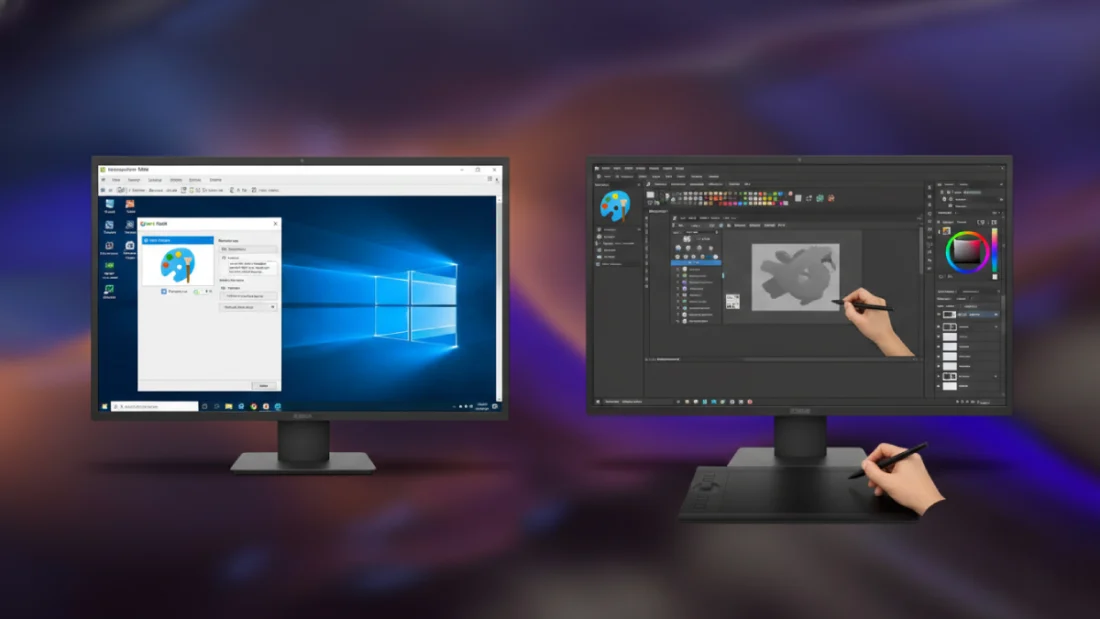
For forty years, Microsoft Paint shaped how people interact with images on Windows. It started small – just basic cuts, rough sketches, nothing fancy. Most folks remember it as their first taste of drawing on screen. Lately though, its path shifted unexpectedly. Instead of staying lean, it began piling on extras nobody really requested. Remember when 3D shapes popped up out of nowhere? That did not last long. Now there’s talk of AI helpers built right into the frame. Features stack up where simplicity used to live. What felt familiar now seems crowded, almost unrecognizable. What once opened instantly now drags with hidden tasks nobody asked for. Many feel it – that slow burn when simplicity vanishes overnight. One day, I just had enough. Out went Microsoft Paint, in came Krita. It’s free, built differently, answers directly to users instead of systems. A shift, not a step. Control matters again.
What bothers people about the new Windows Paint goes beyond mere updates – it’s vanishing into something unrecognizable. Long before now, Paint played the role of the no-fuss tool everyone trusted. Open. Drop in a screen grab. Sketch a red pointer. Hit save. Speed met consistency every single time. Yet Windows 11 arrived with stacked visuals, see-through panels, alongside the debated Copilot. Though layered interfaces appeal to a few, embedding artificial intelligence comes across as extra weight. An online link becomes necessary for specific tools, while prompts push users toward spending AI tokens on image creation. To anyone guarding personal data or seeking calm work rhythms, such changes raise serious concerns. That unease sparked a hunt for software honoring straightforward usefulness – this path uncovered what shines brightest within KDE’s offerings: Krita.
Krita shows up often when artists talk about alternatives to big names such as Photoshop or Affinity Photo. It may look too strong for anyone simply wanting something better than Microsoft Paint at first sight. Once past the initial complexity though, even straightforward jobs feel smooth. The speed stood out early on. Launching needs roughly two seconds – slower than Paint’s instant start – but that extra wait brings clear benefits. No invisible bots humming behind the scenes. Signing in with a big tech name? Not here. Your actions stay local – no signals sent back across the web when you draw. Everything lives inside the app itself. Works fast because it does not wait on distant servers. Built to treat your machine like it matters.
Starting fresh with Krita after using Paint? It might feel different at first glance. Tools pop up more openly here – no hiding spots for brushes, erasers, shapes, or selections. Look around, they sit front and center. Oddly enough, it kind of echoes Photoshop’s setup. That layout trick helps if you’ve touched pro-grade apps before. A small thing – I keep returning to that row of brush previews parked down in the corner. Remember how picking a brush in Paint was mostly luck? Not anymore. Before you paint, Krita shows how each mark appears right on screen. Its flow feels smooth, while Paint’s updated interface remains awkward by comparison.
Not many programs manage file types as smoothly as Krita does. While Paint sticks to just a few options, this software takes on any format thrown its way. From everyday JPEGs and PNGs right through to layered PSDs and camera RAW data, it loads each one effortlessly. That ease turns out useful when switching images between formats fast. Open Krita, drop your file right inside. Out comes any format you want – no sketchy online tools needed. This kind of flexibility makes what seems like just a drawing program suddenly do way more than expected.
If picking up new software feels overwhelming, keep in mind most features in Krita aren’t needed right away. Think of it like souped-up Paint, skip the animation tracks and vector layers entirely. Need to crop a photo or slap words on a funny picture? The program won’t clutter things up. Yet once you’re ready to tackle trickier jobs – say, peeling someone out of their background cleanly or working with precise masks – all those deeper functions sit close at hand. You might think limits appear fast, yet this doesn’t trap you the way older tools do. It stretches when you need more room, skips the clutter others push on you.
Krita thrives because real people shape it, hands off corporate agendas. Built by those who value creativity and freedom online, its roots run deep in shared ideals. Find it at no cost across Windows, Linux, and macOS platforms alike. Possess coding talent. Then step forward – help mold what it becomes next. Quiet comfort lives here, inside tools with zero interest in pushing purchases. When most programs now demand monthly fees or harvest your work for training bots, Krita stands apart. Not chasing trends, it simply lets you draw – built only to serve the act of making art.
What pushed me toward Krita wasn’t only dodging bloated AI features. Instead, it became clear this tool actually keeps up with my everyday creative work. Should Microsoft’s current app choices feel off track, consider trying something different – like Krita. Speed meets simplicity here, without costing a dime. Whether sketching loosely or editing deeply, it handles both without slowing down. Much like I experienced, you may start relying less on heavy pro packages or overloaded default programs. The real takeaway? Excellence doesn’t come from huge budgets. Often, it grows quietly where passionate people build things that simply work well.
Disclaimer: The information provided in this article has been collected from publicly available sources on the Internet. Readers are requested to verify this information with available sources.

