

Everyone has experienced the icy panic that sets in when they discover they are unable to access their primary email account. Perhaps your digital life has been completely destroyed by a malevolent hack, a strange security lockout, or a forgotten password. Emails are now more than simply messages; they are the keys to our digital memories, our professional identities, and our bank accounts. The majority of us leave our data on someone else’s server in the hopes that nothing goes wrong, despite how much we depend on them. Vanderplanki walks in precisely at this point. The name has a serious pedigree, which explains why it seems a little unusual. Vanderplanki is a new, contemporary approach to email archiving created by the original creators of the renowned MailStore Home for the privacy-conscious year 2026. It is a complete “digital vault” that guarantees your data remains under your control no matter what happens to your service provider. It is more than just a basic backup tool.

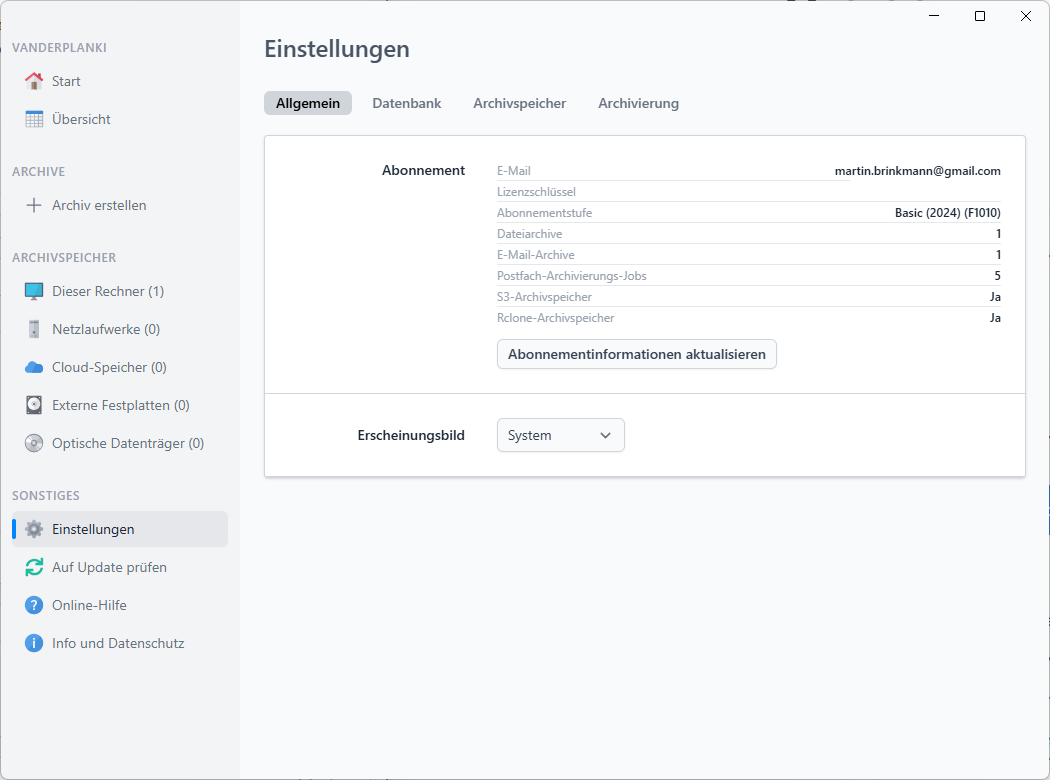
The cross-platform nature of Vanderplanki is among its most striking features from the start. This software works flawlessly on Windows, macOS (which supports both Intel and Apple Silicon), and Linux, whereas many traditional tools are trapped in the Windows-only world of the early 2000s. Power users who switch between operating systems but yet want a standardised method of managing their archives will appreciate this flexibility. “Zero Knowledge” encryption is the foundation of the software’s ideology. Simply said, this implies that before your data ever reaches a storage medium, it is encrypted using your private key. Without your master password, no one could read a single word of your mails, even if they were to physically seize your backup disc. In a time when data breaches happen every week, having this degree of local, unbreakable protection is now essential rather than optional.
Even if you’re not a terminal-dwelling techie, the application is surprisingly easy to get started with. Almost any email account that supports the IMAP protocol can be connected once the desktop client has been installed. This covers both specialised providers and self-hosted mail servers in addition to the major players like Gmail, Yahoo Mail, and Outlook.com. After authorising the connection with a few clicks during the setup procedure, the program takes over. It does more than simply duplicate your emails; it builds an organised, searchable database with all of your attachments, headers, and body content. The indexing stage is when the true magic happens. You can search through years or even decades of correspondence in milliseconds using Vanderplanki’s high-performance search engine. You are aware of how annoying the “spinning wheel” of cloud search can be if you have ever attempted to locate a certain receipt or a legal document in a bloated Gmail interface. That annoyance goes away entirely with a local archive.
But why not just allow Microsoft or Google do the “archiving” for you instead? Independence is the solution. You are essentially just transferring a file from one folder on a cloud provider’s hardware to another when you utilise their archive service. Your “backup” vanishes along with your live mailbox if they decide to ban your account for allegedly breaking the terms of service. Vanderplanki handles your data as if it were a tangible asset. Your archives can be kept on a secure USB stick, a dedicated NAS (Network Attached Storage), or even a local hard disc. Because of this “offline-first” strategy, your history is unaffected even in the event of an internet outage or a provider going out of business. This peace of mind is crucial for independent contractors or small business owners who must keep records for tax compliance.
The developers have also thought a lot about how long the data will last. “Format rot” is one of the main dangers concerning backup software. This means that your data won’t be usable in twenty years since the software won’t be around. Vanderplanki solves this problem by supporting common formats like EML and MSG. There is also an open-source part called the Vanderplanki Reader. This means that even if the firm ceases working on the main desktop client, the community will always be able to give you tools to open and get your data. This is a level of openness that we don’t often see in the software business today. It shows how much the developers care about giving users control.
The underlying functionality is strong, but the user experience is what actually makes it all work. The UI is simple, works well in dark mode, and doesn’t have the messy “ribbon” options that many business programmes do. It focuses on the things that matter: your accounts, your archives, and your search results. The ordinary version lets you manage up to ten accounts, which makes it easy to keep all of your personal email, spam, and work email in one place. The software also does a great job at handling incremental backups. The first time you run it, it downloads all of your history. After that, it only downloads new messages, which saves you time and bandwidth. It operates quietly in the background, so you can “set it and forget it” and know that your safety net is always up to date.
The digital world is more unstable than ever in 2026, yet tools like Vanderplanki help us fight against data centralisation. It’s not just about making copies of files; it’s about getting back your digital legacy. If you’re a student keeping track of years of school correspondence or a professional protecting private client information, the best thing you can do is create an archive that is local, encrypted, and easy to search. It’s quick, free to try, and it gives you back control. Now is the time to download this tool and make your own personal post-vault if you haven’t already. Your future self will be very grateful for it.
Disclaimer: The information provided in this article has been collected from publicly available sources on the Internet. Readers are requested to verify this information with available sources.

