No products in the cart.
Current date
February 24, 2026


Stop Wasting Money! 3 Incredible Free Apps That Actually Beat Your Paid Subscriptions
 DivyanshuFebruary 5, 20263 Mins read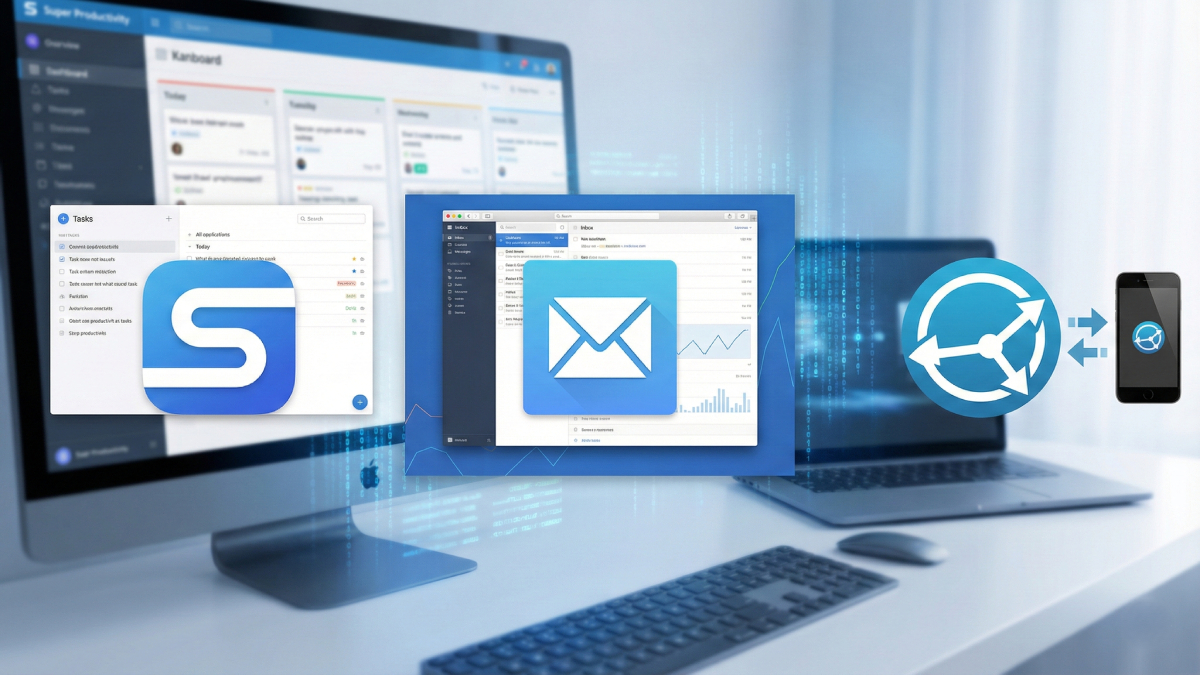
Share
URL copied
That moment hits everyone. You look at your credit card bill, baffled by two dozen tiny charges adding up fast. Each one small, yet together they sting like paper cuts piling up every single day. Tools meant to help – like planners online, file storage, or work email apps – slowly drain funds till it feels like another monthly lease payment just to stay sorted. People used to believe spending more brought better results. Paying meant access to serious features others could not touch. Lately though, free software built openly by communities has grown stronger than ever imagined. Some now outperform expensive versions – not only matching function but offering tighter control over data and custom setups most will never expect.
One thing few people know about? An app named Super Productivity. Juggling stuff across different tools? Say TickTick at home, Trello for work, Clockify ticking away somewhere else? This fits right in. Free. Open source. Packed tight with features, yet somehow doesn’t weigh down your screen. Built around tasks, yes – though calling it just a checklist undersells what happens next. Need smaller steps under each item? Done. Files clipped straight to them? Easy. Thoughts flash by? Hit keys fast, catch them before they vanish.
One thing sets Super Productivity apart – its sharp focus on time. Instead of guessing, you assign a timeframe to each job, watch the clock run, see where the minutes actually go. When the day ends, numbers speak louder than hopes, especially if you thought something quick turned into hours. Hidden beneath the surface, quirks emerge: a voice speaks up now and then, cheering small wins through spoken words. Break alerts pop in before exhaustion kicks in. Habits build slowly, tracked quietly, without fanfare. Reality checks meet gentle support, both built right in. Seeing things clearly? Try shifting into a regular list, sliding over to a Kanban layout, jumping on the calendar, or even flipping through an Eisenhower grid – each shows when something must happen today instead of dragging till Tuesday. Hard to believe how quiet everyone is about this thing, especially because it asks for nothing from your wallet.
From handling your own chores to staying in touch, sending emails gets messy fast when fancy tools cost a fortune. Most people stick with basic Outlook or Gmail setups – though they rarely offer the deep insights serious professionals rely on. Enter Mailspring: clean, sharp, built to work smoothly across Gmail, Outlook, and any private IMAP server. Juggling several email accounts? That usual headache melts away here thanks to a single smart inbox. No more endless toggling between windows like you’d face even on fresh Outlook updates; it just pulls every thread together quietly.
Yet what makes Mailspring different isn’t just design – it’s the quiet power under the surface. Inside each message, tiny tracking pixels slip in without fuss, lighting up an alert once someone reads your note or taps a link. Tools like these tend to live inside bulky platforms such as Mailchimp, yet here they sit, ready in your everyday mailbox. For freelancers hitting send on invoices, or applicants nudging a hiring team, this shift matters more than it sounds. Peek behind the scenes and there’s a full view of habits – when replies come fastest, which subject lines pull attention, even how many messages flow week by week. That picture builds over time, one opened email at a time. Though there is an eight-dollar monthly option labeled Pro that offers endless tracking, many users will find the basic plan plenty strong for gaining a work advantage minus extra costs. Watch out for rules such as GDPR when applying trackers to business tasks near your area.
Last thing – gotta mention what folks call the cloud. Trained us to think our stuff must sit on some company’s machine, like Google or Dropbox, just so it shows up everywhere we go. Here’s the twist: Syncthing says that was never true. This free tool skips those middlemen entirely, linking your gadgets straight to each other through Wi-Fi or cellular. Speedy? Yes. Locked down with encryption? Absolutely. And space for files? Only limit is how much room you’ve got on your own gear. Runs fine on Windows, plays well with Macs, feels at home on Linux. The Android app does its job right; still, many swear by a tweaked build named Syncthing-Fork. Even iPhones aren’t left out – Möbius Sync brings it full circle.
What makes Syncthing truly work well shows up when pairing it with tools such as Obsidian for notes. Since Syncthing simply monitors folders and copies changes wherever needed, your thoughts and checklists remain matched exactly – on phone, laptop, desktop – with zero involvement from online storage companies. Skip paying that yearly fee for more space on services like Google Drive; instead, keep every bit of personal information under your own roof. Remove something on one gadget, watch it disappear everywhere else right away, thanks to connections built straight from machine to machine, which frequently means speedier updates than relying on remote servers to shuffle files around.
Disclaimer: The information provided in this article has been collected from publicly available sources on the Internet. Readers are requested to verify this information with available sources.
Author






Linux James BrownFebruary 17, 2026
Your Linux Desktop Just Got a Massive Power-Up: Everything New in KDE Plasma 6.6
If you have spent any time in the Linux world, you know that KDE Plasma is often hailed as the gold standard...
 James BrownFebruary 17, 2026
LinuxJames BrownFebruary 11, 2026
I Ditched Dual-Booting: Why WSL is Finally Good Enough to Kill Native Linux
For the longest time, the ritual was always the same: hit the power button, mash the F12 key, and wait for the...
James BrownFebruary 11, 2026
LinuxDivyanshuFebruary 5, 2026
Stop Checking Your Phone: How to Add a Live Clock Directly to Your Linux Terminal
Hours vanish when code takes over. A flickering cursor holds attention while daylight fades outside. Is it evening? Past midnight? Hard to...
DivyanshuFebruary 5, 2026
Related ArticlesJames BrownFebruary 10, 2026
DivyanshuFebruary 5, 2026
DivyanshuFebruary 5, 2026
DivyanshuFebruary 5, 2026

Stop Wasting Time: This Secret Open-Source App Is the Ultimate Procrastination Killer
If you’ve ever sat back at a blinking cursor after an hour...
James BrownFebruary 10, 2026
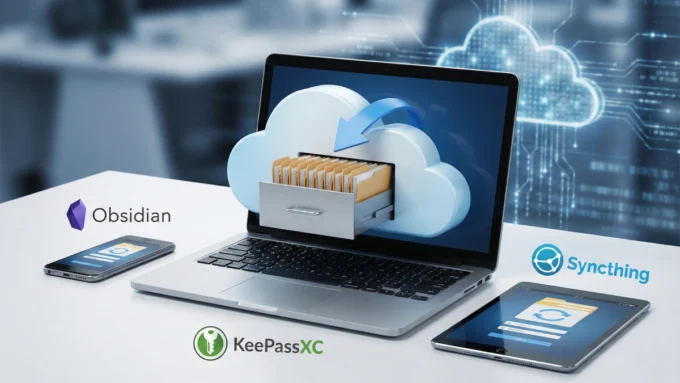
Ditch the Cloud: This Free Open-Source Tool Is a Game Changer for Local-First Apps
If you have spent any time in the world of productivity tools...
DivyanshuFebruary 5, 2026

Stop Hunting for Datasets: How to Generate Realistic Test Data in Python in Minutes
Hunting down the right data for your newest code task might seem...
DivyanshuFebruary 5, 2026

Stop Wasting Money: Why NVIDIA’s New Update Just Killed the Need to Upgrade Your GPU
Years passed, yet one thing stayed true – PC gaming kept pushing...
DivyanshuFebruary 5, 2026