No products in the cart.
Current date
February 23, 2026


Stop Wasting Money: Why NVIDIA’s New Update Just Killed the Need to Upgrade Your GPU
 DivyanshuFebruary 5, 20263 Mins read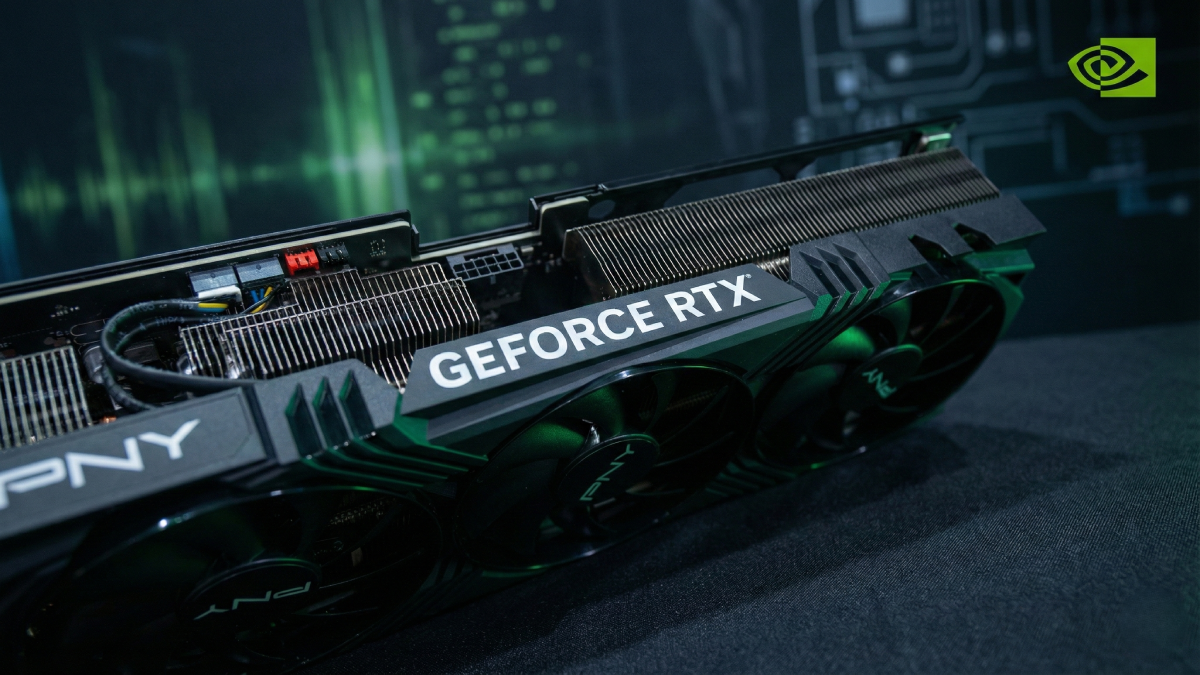
Share
URL copied
Years passed, yet one thing stayed true – PC gaming kept pushing wallets thin. New graphics cards arrived on schedule, roughly every twenty-four months, each boasting noticeable speed jumps. To keep up with big-name games running smoothly at sharp settings, silence often meant sacrifice. Fans roared louder when older models struggled. Upgrading became routine for many, not by choice but necessity. Falling behind wasn’t dramatic – just slower frames, longer waits, more heat. Staying current? That took cash, timing, and patience. Now though, that old push for bigger hardware has stalled – truth be told, artificial intelligence made it happen. Thanks to NVIDIA’s newest DLSS upgrades, what’s actually inside your machine counts far less than the smart code driving it.
Lately, flipping through hardware talk online, one thing keeps popping up – how many frames each second really matters. Chasing faster screen updates isn’t just habit; it actually changes how things feel. Landing precise shots in fast games or wandering sprawling landscapes needs motion that flows, never stutters. Back in the day, boosting frame counts meant only one path: stronger gear. A shiny 144Hz or even 240Hz display would arrive, then disappointment followed when the old graphics chip fell short. That gap often led straight to an $800 upgrade, no escape. Funny thing is, everything shifted. Instead of relying on raw power to render each pixel directly through the GPU, now artificial intelligence handles most of the work behind the scenes.
Something shifted when DLSS 4.5 arrived. Not long ago, cranking up settings meant buying new hardware. Back then, stretched pixels showed jagged edges, smeared textures. Now? A GPU runs games softer – maybe half the target clarity – then sharpens output through learning models. Instead of raw power, smarts fill the gaps. Clarity emerges where fuzziness used to live. Because of this, chasing specs feels less urgent. These days, a lot of players – even serious ones – struggle to spot any gap between DLSS 4 set to Quality and true native visuals. What grabs their attention instead? A frame rate that’s somehow jumped twice as high.
Frames appear out of nowhere, crafted from thin air rather than fixed pixel work. Between every two actual moments on screen, one invented clip slips silently into place. Skeptics used to point at odd trails behind moving objects, flaws that flickered like bad memories. Progress didn’t wait – it surged forward, smoothing the rough edges faster than expected. Soon, very soon, DLSS version 4.5 arrives with tricks so sharp they feel pulled from a dream. Imagine getting five artificial frames for each actual frame your system produces. Pause for a moment. A weaker graphics card stuck at 30 frames per second might suddenly feel like it’s running near 150. The process adjusts on its own, skipping unnecessary steps when your display doesn’t require more speed. Each calculation fits the moment, nothing wasted.
This change flips life upside down for folks still using an old graphics card. Not so long ago, Moore’s Law promised chips would grow twice as strong every couple of years – but now it’s just not holding up. New hardware doesn’t race ahead like before; each model crawls forward compared to past spikes. Yet right beside that slow climb, software surges without warning. Older RTX 20-series graphics cards still get attention from NVIDIA, despite their age. While many companies move on, these chips keep gaining new features – like updated DLSS support. In tough games such as Cyberpunk 2077, switching on one option lifts frame rates noticeably. Performance jumps between 20% and 30%, simply from enabling a feature already built in. Once upon a time, gains like that meant buying expensive upgrades. Today? A routine driver download does the job quietly behind the scenes.
Even if you own a 40-series or 50-series GPU, holding back could make sense. Built for cutting-edge frame generation, these models turn choppy gameplay into fluid motion once DLSS kicks in. Though newer functions may one day demand fresh silicon, past moves by NVIDIA show they tend to include more people than exclude them. Owning a 3070 Ti? You might miss out on next-gen tricks – but DLSS 4 should stick around, keeping visuals sharp well ahead.
Great timing if you play games on a regular computer. Your machine keeps improving without needing upgrades – a surprise in tech, where things usually get worse. Forget stressing over whether your power unit supports some huge 5090; just dive into gameplay instead. Smart coding now beats raw hardware limits. Unless NVIDIA somehow reinvents how processors function – not just slight yearly updates – buying new gear feels unnecessary right now.
These days, most GPUs hold up much longer than expected. Instead of chasing more power, smarter software makes better use of what you already have. Tweak a few options here, update drivers there – suddenly performance feels fresh again. Paying less often means playing more, without buying new gear every year. Your setup lasts. So does your money. Surprise – your old graphics card could already handle more than you think. Instead of hunting down the newest model, check how today’s updates boost what’s sitting inside your machine. Who knows, the most powerful improvement might cost nothing at all.
Disclaimer: The information provided in this article has been collected from publicly available sources on the Internet. Readers are requested to verify this information with available sources.
Author







Linux James BrownFebruary 17, 2026
Your Linux Desktop Just Got a Massive Power-Up: Everything New in KDE Plasma 6.6
If you have spent any time in the Linux world, you know that KDE Plasma is often hailed as the gold standard...
 James BrownFebruary 17, 2026
LinuxJames BrownFebruary 11, 2026
I Ditched Dual-Booting: Why WSL is Finally Good Enough to Kill Native Linux
For the longest time, the ritual was always the same: hit the power button, mash the F12 key, and wait for the...
James BrownFebruary 11, 2026

LinuxDivyanshuFebruary 5, 2026
Stop Checking Your Phone: How to Add a Live Clock Directly to Your Linux Terminal
Hours vanish when code takes over. A flickering cursor holds attention while daylight fades outside. Is it evening? Past midnight? Hard to...
DivyanshuFebruary 5, 2026
Related ArticlesJames BrownFebruary 10, 2026
DivyanshuFebruary 5, 2026
DivyanshuFebruary 5, 2026
DivyanshuFebruary 5, 2026

Stop Wasting Time: This Secret Open-Source App Is the Ultimate Procrastination Killer
If you’ve ever sat back at a blinking cursor after an hour...
James BrownFebruary 10, 2026

Stop Wasting Money! 3 Incredible Free Apps That Actually Beat Your Paid Subscriptions
That moment hits everyone. You look at your credit card bill, baffled...
DivyanshuFebruary 5, 2026
Ditch the Cloud: This Free Open-Source Tool Is a Game Changer for Local-First Apps
If you have spent any time in the world of productivity tools...
DivyanshuFebruary 5, 2026

Stop Hunting for Datasets: How to Generate Realistic Test Data in Python in Minutes
Hunting down the right data for your newest code task might seem...
DivyanshuFebruary 5, 2026