
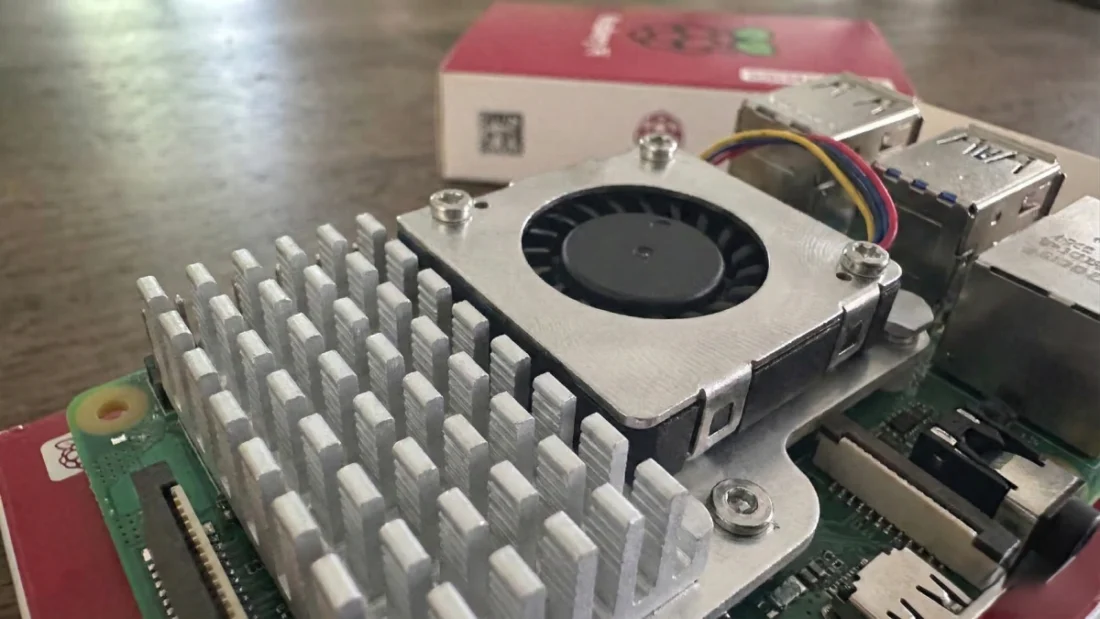
A Raspberry Pi can become a real computer, though the truth hits hard once you start using it. Newer versions such as the Pi 4 or Pi 5 do plenty, yet they fall short when stacked against beefy desktops we’re accustomed to. Load too many heavy programs or bloated tools, suddenly everything slows – screen freezes, patience thins. That moment pushes users toward lighter alternatives fast. For those aiming to rely on it every day, finding lean software isn’t optional – it’s essential. Months spent testing a mobile-friendly Pi 4 taught me something: speed doesn’t only come from chips inside. It grows from picking apps wise enough to stay small, sharp, effective – yet never greedy with power.
First thing I hit? Trying to sort my thoughts without slowing everything else. Notes need to land somewhere fast – mid-thought, mid-day, doesn’t matter. My main machine uses Joplin, no surprise there. Found out it works just fine on the little Pi too. App packs a lot but never drags feet. Holds every idea, links them between devices. Runs smooth even when power’s tight. No lag, no fuss, just writes. Not once have I seen it stutter or quit – proof enough that the design fits Linux like a glove. From bare notes to full layouts, it fills space most tools leave empty, especially when moving fast matters more than bells and whistles.
Though Joplin covers the writing part well, something stronger fits better when tinkering under the hood. Tweak config files or craft small scripts – this kind of work shows up often on a Raspberry Pi. Yet launching heavyweight editors like VS Code might bog down the machine – sluggishness follows fast. Enter Kate: lightweight, free, built open for everyone. Power lives here too – not just bare-bones typing, but smart help like color-coded code and word predictions. Best of all? It doesn’t gulp down RAM like others do. Every time a system file needs adjusting, my hand moves toward Kate without thinking. Reading code here feels smoother compared to basic text tools, thanks to how clearly things are arranged. Most people can figure it out fast, even if they do not tinker much. Yet those who dig deep into features will still find plenty to work with.
Most people who use Linux know how handy the terminal can be. When screen space is tight, juggling several windows becomes awkward fast. A dropdown setup works better for me – it hides quietly when unused. On stronger systems, I once ran Yakuake without issue. For the Raspberry Pi though, switching to Guake made things smoother. Press one key and the panel drops down like a curtain opening from above. Resource usage? Not much different than regular terminals. Yet somehow everything feels neater, easier to reach. The speed of access changes how you work, even slightly. One tap to peek at a command, then tuck the terminal away – suddenly tight screens feel way less cramped. Little tweaks like this? They quietly lift your whole workspace into cleaner, sharper territory.
One last thing often gets missed when building a desk space – playing tunes easily. Yet today’s online music tools tend to hog system power. Lately, I stepped back from endless streams, choosing instead to copy my CDs into digital files. Picking software that runs smooth on the Pi while holding large collections meant trying many versions one after another. After rounds of tests, QMMP stood out clearly. It stayed. Looks might remind you of Winamp fans from the late nineties, sure. Still, beneath that surface sits something far beyond mere throwback design. A solid media app that simply runs without fuss. Smooth navigation meets broad format support, letting playback flow while you focus elsewhere. Performance stays steady, never hogging resources or slowing down your workflow.
Starting fresh with a Raspberry Pi teaches what matters. Not every tool needs to shine bright – some work best when quiet, quick, correct. Ditching heavy software reveals simpler ways to move through tasks. Joplin keeps thoughts clear, one note at a time. Code feels different inside Kate – not crowded, not slow, just space to build. Need terminal access fast? Guake drops down before you finish thinking it. Music plays smooth in QMMP, like it belongs there. This setup runs tight, close to the metal, no wasted motion. Good tools don’t shout – they fit. Students type here. Tinkerers wire things up. Developers compile small, test faster. Nothing about this feels less than. Each choice strips away noise. Power isn’t always loud. Sometimes it sits ready, calm, doing only what’s asked.
Disclaimer: The information provided in this article has been collected from publicly available sources on the Internet. Readers are requested to verify this information with available sources.

